01
Pick up a result.
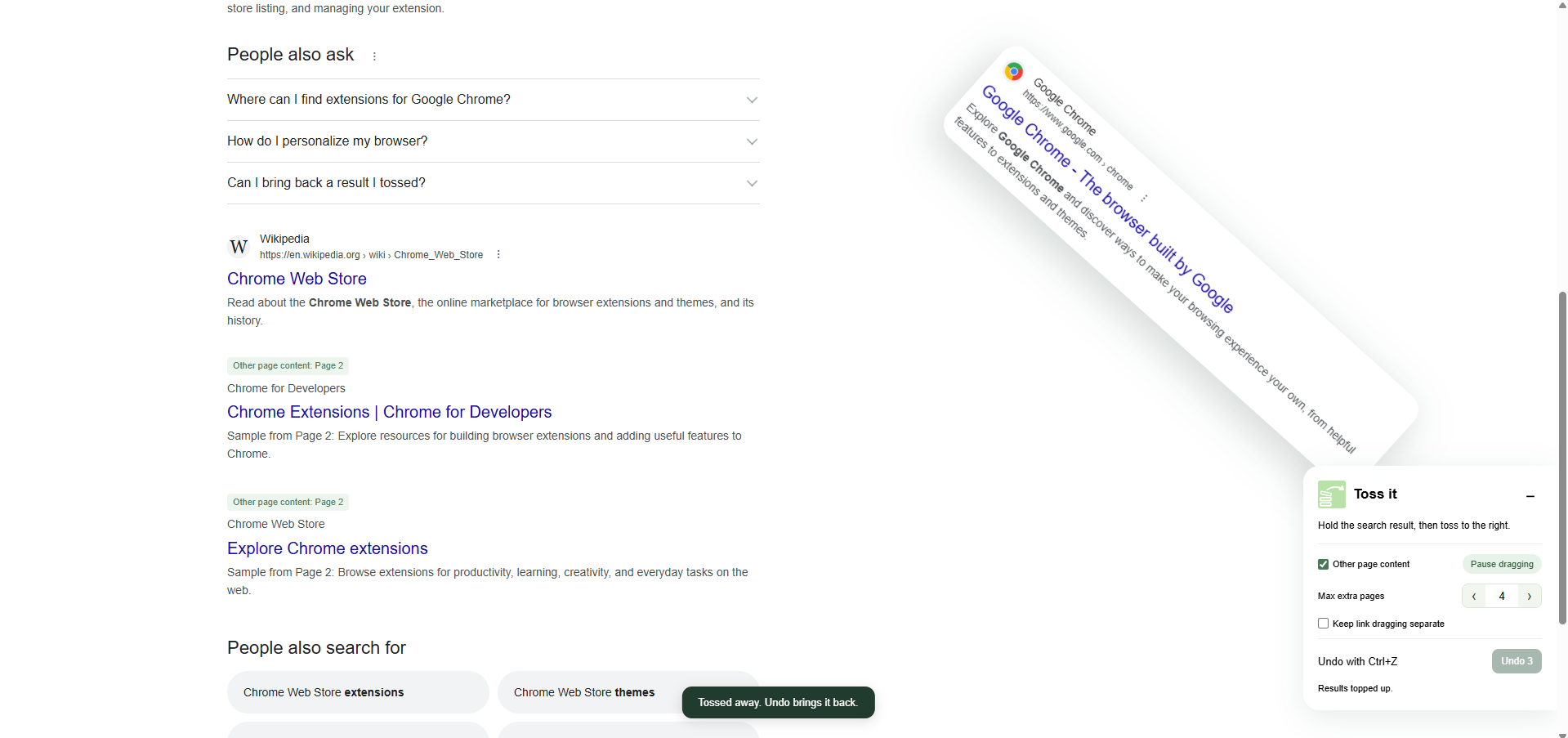
Click and hold a search result for a moment. It lifts off the page, ready to move with you.
A little less noise. A lot more focus.
Hold, drag, toss — and keep exploring. Move unwanted results out of your way, bring them back with Undo, and make room for what’s next.
Pick up a result. Toss it to the right. Keep exploring.
For Chrome on desktop. One small extension, a fresher search.
LESS SCROLLING PAST. MORE MOVING ON.
Some results just aren’t what you’re looking for.
Give them a little nudge out of the way.
Click and hold a search result for a moment. It lifts off the page, ready to move with you.
Drag or flick it to the right. The unwanted result flies away, and the rest move up to fill the space.
Tap Undo to bring your last toss back. Nothing is permanent — a page reload brings the results back, too.
A SMALL GESTURE. A CLEARER PAGE.
The search you know, with a little more room to think.
THOUGHTFUL LITTLE DETAILS
A good tool should feel simple. Toss it keeps the useful details close, and everything else out of your way.
Read our privacy policyOptionally fill the gaps with results from later Google pages. Choose how many extra pages to explore, or switch refilling off.
Restore a tossed result with Undo. Ctrl+Z also follows your tosses and supported text edits, in the order you made them.
Move the control panel, tuck it into the side of the page, or pause dragging. Keep searching the way that works for you.
No analytics or developer-operated server. Toss history stays in page memory; optional refills and images load directly from Google and image hosts.
Toss it lets you temporarily hide unwanted Google search results by holding and tossing them to the right. The remaining results move up, so you can focus on what’s useful. You can restore a result with Undo.
Toss it is designed for Chrome on desktop, using a mouse. It works on supported search pages at www.google.com. Some result layouts, ads, and AI summaries are outside its supported groups.
No. Tossing hides a result from your current page. Use Undo to restore it, or reload the page to start fresh. Toss it does not permanently block websites or change Google’s search index.
This optional feature fills gaps with regular results from later pages of the same Google search. It is on by default, with a limit of four extra pages. You can turn it off or choose a limit from one to ten in the controls.
The developer does not receive your search content, text snapshots, or toss history through the extension. It has no analytics, telemetry, or cloud sync. Refills and thumbnails can make requests to Google and image hosts. See the full privacy policy for the details.
An interactive tutorial opens when you first install Toss it. Try the gesture on its sample results, and replay it whenever you like using the extension’s toolbar icon.

A FRESHER WAY TO SEARCH
Your next useful result deserves a little breathing room.
Download extension Available on the Chrome Web Store